Chapter2 #6
Open
Chapter2 #6
Conversation
This file contains hidden or bidirectional Unicode text that may be interpreted or compiled differently than what appears below. To review, open the file in an editor that reveals hidden Unicode characters.
Learn more about bidirectional Unicode characters


dev-donghwan
suggested changes
Oct 18, 2021
| } | ||
|
|
||
| companion object { | ||
| lateinit var instance: App |
Contributor

There was a problem hiding this comment.
이런 접근 방식은 좋지 못해요 전역에서 사용하는건데 safe하지 않습니다!
잘 생각해보면 DI로 ViewModel init할때 넣으면 좋을 것 같네요
Comment on lines
22
to
+23
| holder.bind(movies[position]) | ||
| holder.itemView.setOnClickListener{movieClickListener(movies[position])} | ||
| holder.itemView.setOnClickListener { movieClickListener(movies[position]) } |
Contributor
There was a problem hiding this comment.
binding 내부로 click listener를 넣어서 사용하는게 더 깔끔해보여요!
| )[MainViewModel::class.java] | ||
|
|
||
|
|
||
| if (intent.getStringExtra("title") != null) { |
|
|
||
| @BindingAdapter("bind_history_list") | ||
| fun setHistory(recyclerView: RecyclerView, histories: ArrayList<String>?) { | ||
| if (histories != null) { |
Comment on lines
+18
to
+23
| if (empty) { | ||
| textView.visibility = View.VISIBLE | ||
| } | ||
| else { | ||
| textView.visibility = View.GONE | ||
| } |
| import org.w3c.dom.Text | ||
|
|
||
| @BindingAdapter("bind_visible_if") | ||
| fun setVisibility(textView:TextView, empty:Boolean) { |
Contributor
There was a problem hiding this comment.
view 다음에 들어오는 데이터는 nullable하게 받아줘야 합니다!
| } | ||
| } | ||
| override fun onFailure(call: Call<MovieResponse>, t: Throwable) { | ||
| Toast.makeText(App.instance.applicationContext, "검색 도중 오류가 발생했습니다.", Toast.LENGTH_SHORT).show() |
Contributor
There was a problem hiding this comment.
viewModel은 명령을 내리는 곳이지 ui에 직접 관여하면 안됩니다!
Sign up for free
to join this conversation on GitHub.
Already have an account?
Sign in to comment
2 participants


Add this suggestion to a batch that can be applied as a single commit.
This suggestion is invalid because no changes were made to the code.
Suggestions cannot be applied while the pull request is closed.
Suggestions cannot be applied while viewing a subset of changes.
Only one suggestion per line can be applied in a batch.
Add this suggestion to a batch that can be applied as a single commit.
Applying suggestions on deleted lines is not supported.
You must change the existing code in this line in order to create a valid suggestion.
Outdated suggestions cannot be applied.
This suggestion has been applied or marked resolved.
Suggestions cannot be applied from pending reviews.
Suggestions cannot be applied on multi-line comments.
Suggestions cannot be applied while the pull request is queued to merge.
Suggestion cannot be applied right now. Please check back later.
dim처리는 더 공부해보고 추가해보겠습니다..!
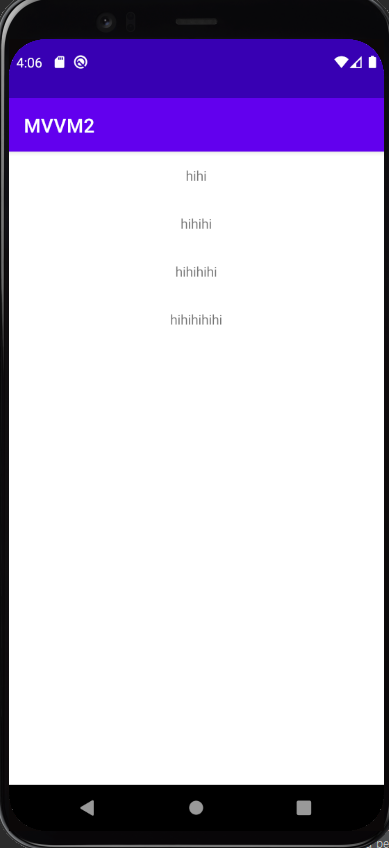
검색 기록 화면
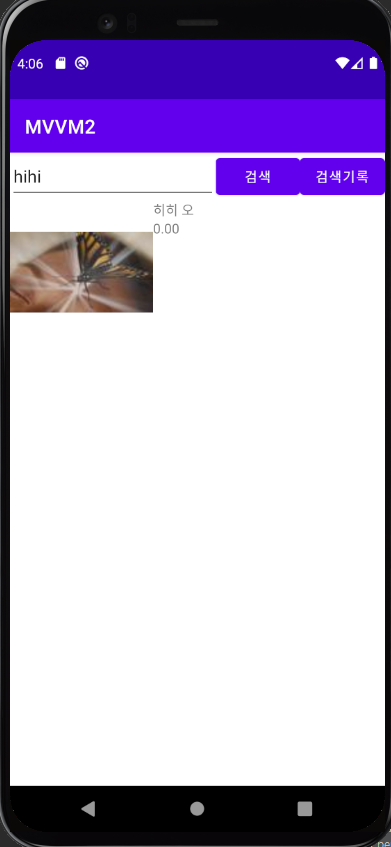
검색 기록에서 검색 기록 항목 누른 화면
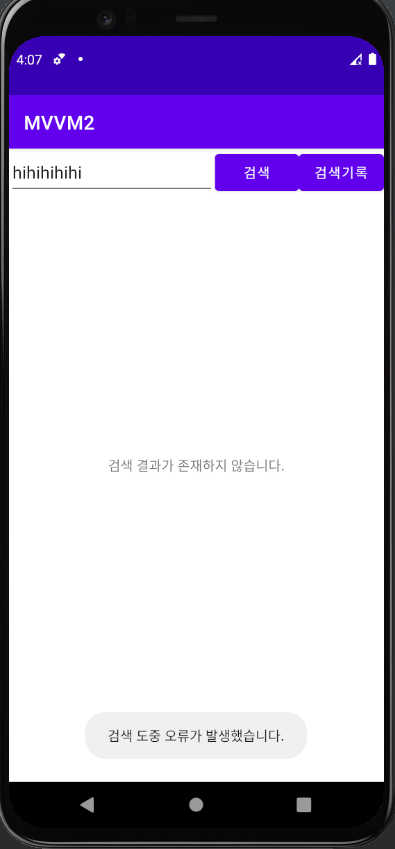
검색 결과 없는 화면

검색 오류가 발생한 화면