



Impulse is a command line tool for exploring the imports in a Python package.
Running it will open up the graph in a browser window, along with download links for SVG and PNG.
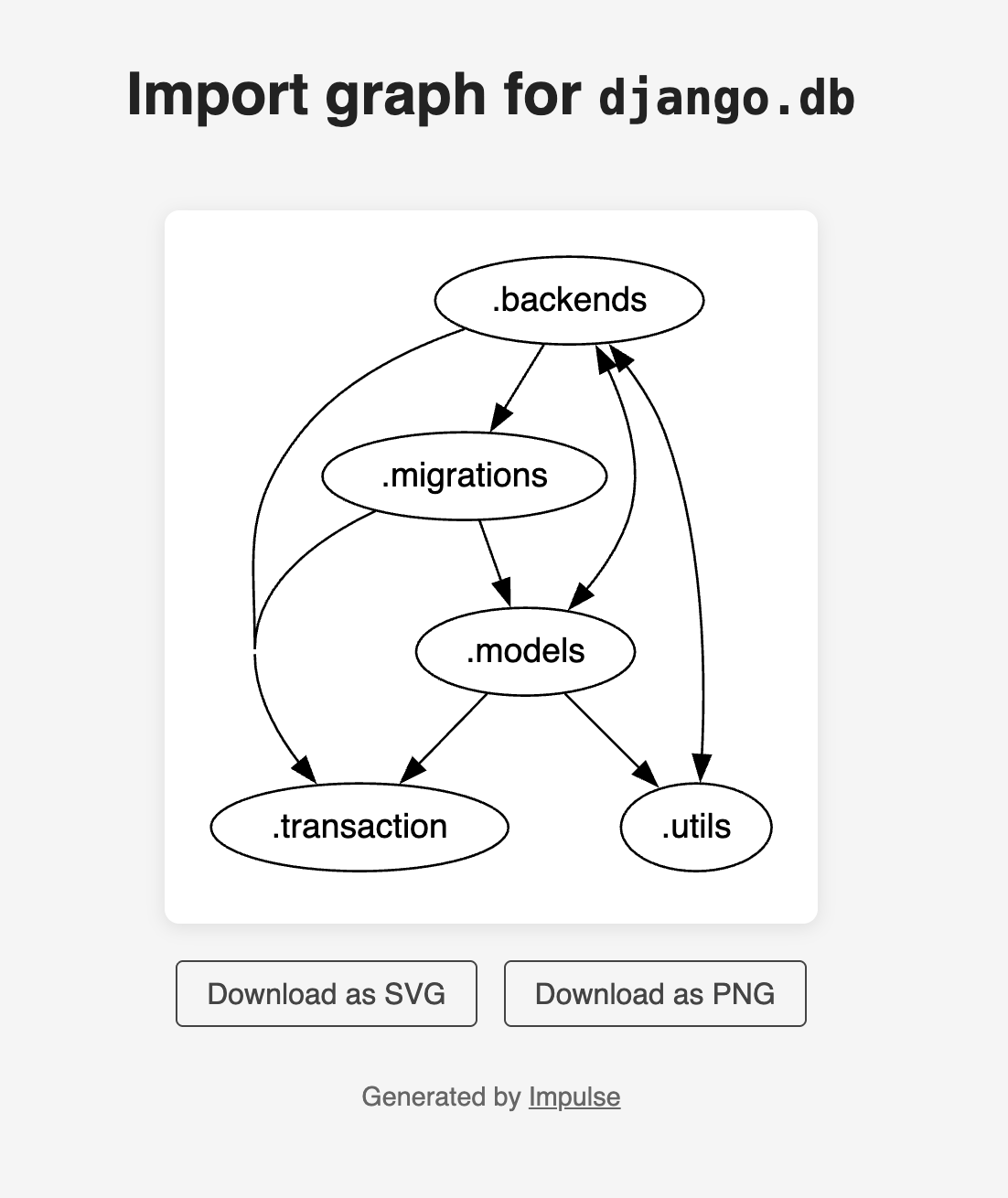
Install Impulse using your favorite Python package manager. E.g., with
pip:pip install impulse
2. Ensure the package under test is importable, e.g. by changing your working directory to the one containing the package, or installing it via a Python package manager.
If you use uv you can run it with this one-liner, without needing to install anything.
uv tool run --with=PACKAGE impulse drawgraph MODULE_NAME
There is currently only one command.
Usage: impulse drawgraph [OPTIONS] MODULE_NAME

Options:
  --show-import-totals   Label arrows with the number of imports they
                         represent.
  --show-cycle-breakers  Identify a set of dependencies that, if removed,
                         would make the graph acyclic, and display them as
                         dashed lines.
  --help                 Show this message and exit.
Draw a graph of the dependencies within any installed Python package or subpackage.
The graph shows the relationship between all the immediate children of the package. An arrow indicates that there is at least one import by the child (or any of its descendants) from the subpackage where the arrow points.
The graph visualization is opened in a browser.
Example
impulse drawgraph django.db
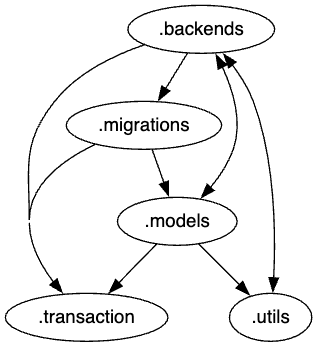
In this example, there is an arrow from .models to
.utils. This is because (along with one other import) django.db.models.constraints imports
django.db.utils.DEFAULT_DB_ALIAS.
Example with import totals
impulse drawgraph django.db --show-import-totals
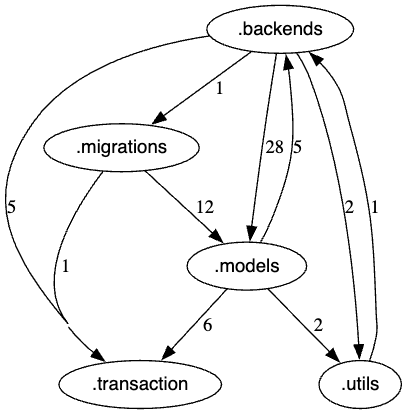
Here you can see that there are two imports from modules within django.db.models of modules
within django.db.utils.
Example with cycle breakers
impulse drawgraph django.db --show-cycle-breakers
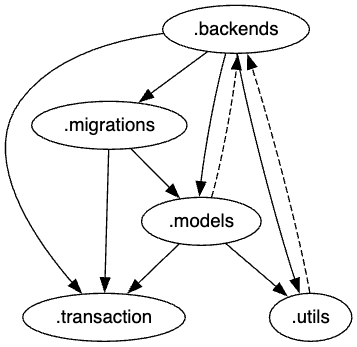
Here you can see that two of the dependencies are shown as a dashed line. If these dependencies were to be removed, the graph would be acyclic. To decide on the cycle breakers, Impulse uses the nominate_cycle_breakers method provided by Grimp.